

Print-ready interior, composed by QuillArk itself.
Publishing
From draft to a file a printer will accept.
QuillArk composes its own pages rather than handing the job to a word processor. The print view on screen and the exported PDF are produced by the same code, so they cannot drift apart.
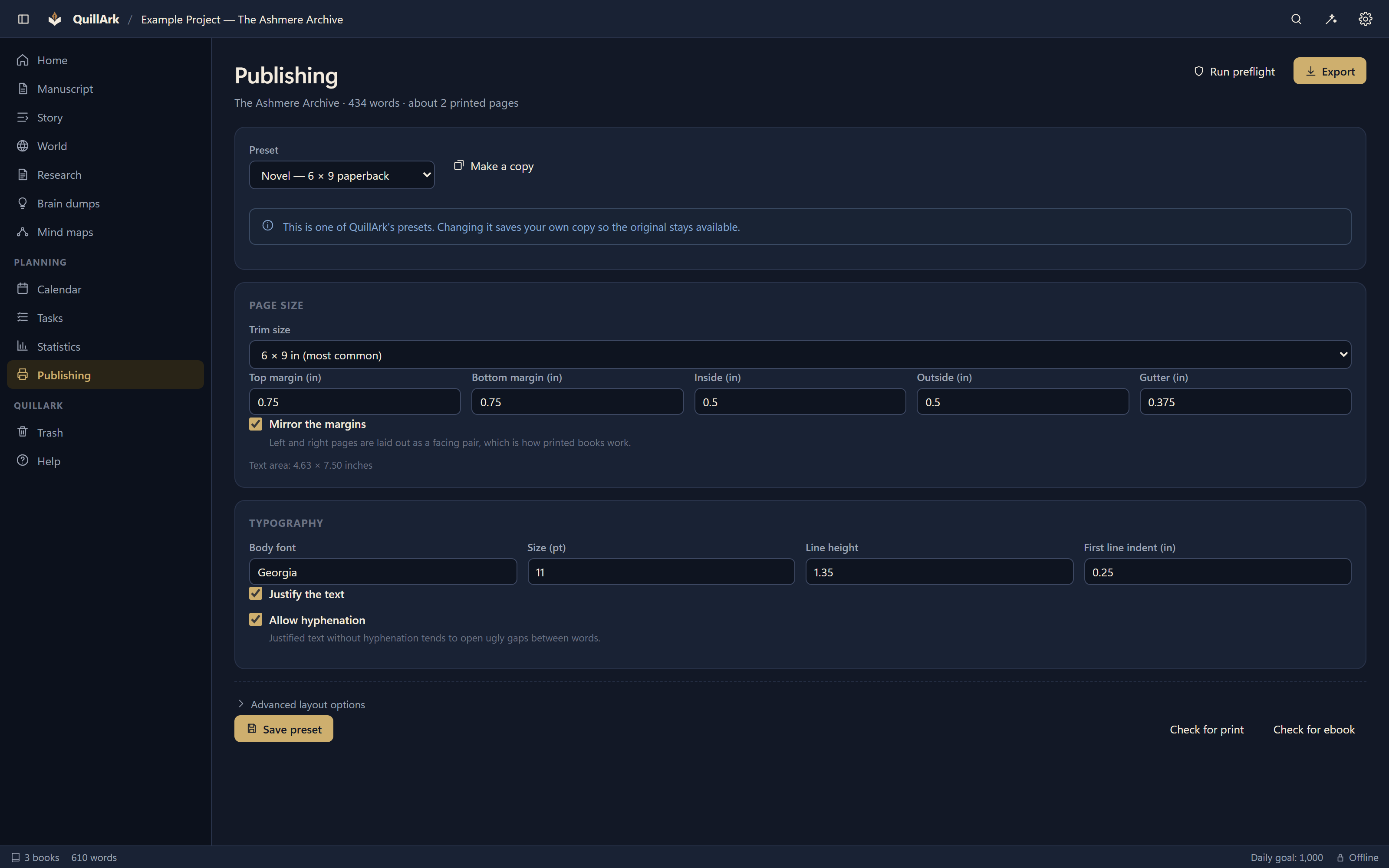
The page
- 21 trim sizes, from 5×8 to 8.5×11, plus a custom size.
- Mirrored margins and gutters, with the gutter sized to the page count so the inside edge stays readable in a thick book.
- Running heads on recto and verso, with the author on one side and the chapter on the other, or whatever you prefer.
- Roman numerals through the front matter, arabic from chapter one.
- Chapters that open on a right-hand page, with blank pages inserted and counted properly.
- Orphan and widow control, splitting paragraphs with a minimum number of lines on each side.
- Bleed, when your printer asks for it.
Before you export
Preflight looks at the book the way a print service will, and tells you what it finds in plain language:
- Missing title, author or language
- Empty documents and structural problems
- Images too small for the size they are printed at
- Margins too narrow for the page count
- Page counts outside what a service will bind
- Fonts the preset asks for that are not installed on this computer
That last one matters more than it sounds. A substituted font has different letter widths, so every line break and the total page count move.
Export formats
EPUB 3
Written directly, with a navigation document, an NCX for older readers, and correct metadata.
DOCX
Word documents, with styles that survive the trip.
DOCX for Google Docs
The same document, tuned for what Google Docs imports cleanly.
ODT
OpenDocument, for LibreOffice and anything that reads it.
RTF
For older submission systems that still ask for it.
HTML
Self-contained, with image layout preserved.
Markdown
The manuscript as it already is on disk, compiled in reading order.
Plain text
When something wants nothing but the words.
Project archive
A ZIP of the entire project, indexes excluded because they rebuild.
Two honest limitations
Where a format cannot carry something, QuillArk says so rather than letting you discover it in the finished file.
- Word documents place images on their own line rather than wrapping text around them. The export warns you when a chapter uses a wrap. PDF, EPUB and HTML wrap as you set them.
- PDFs are RGB. Most print-on-demand services, including Amazon KDP, accept RGB. A printer that requires CMYK or PDF/X will need a conversion step outside QuillArk.
Self-publishing
QuillArk's presets produce interiors suited to common Amazon KDP print workflows: standard trim sizes, mirrored margins with a page-count gutter, and a preflight that checks the things those services reject books for.
QuillArk is an independent project. It is not affiliated with, endorsed by, or sponsored by Amazon, Microsoft, Google, or any other company named on this site. Product names are used only to describe compatibility.