

Every protocol.
Every subject.
Every version.
VialTome is a research workspace that keeps protocols, subjects, evidence, supplies and reports in one place — on your own computer. Design a titration, watch it render on a timeline, and produce a report that still reads correctly a year after the protocol changed.
Version 1.1.0 · MIT licensed · No account, no cloud service, no telemetry, no subscription

- Everything stays on your machine
- Immutable protocol versions
- Evidence tiers never mixed
- Decimal-safe calculation
- PDF · DOCX · XLSX · CSV
One workspace, from enrolment to report
VialTome starts in Simple Mode with a guided path — create a project, add a subject, enter a protocol, see the timeline. Advanced Mode opens everything else without hiding a single record.
A project holds the whole study
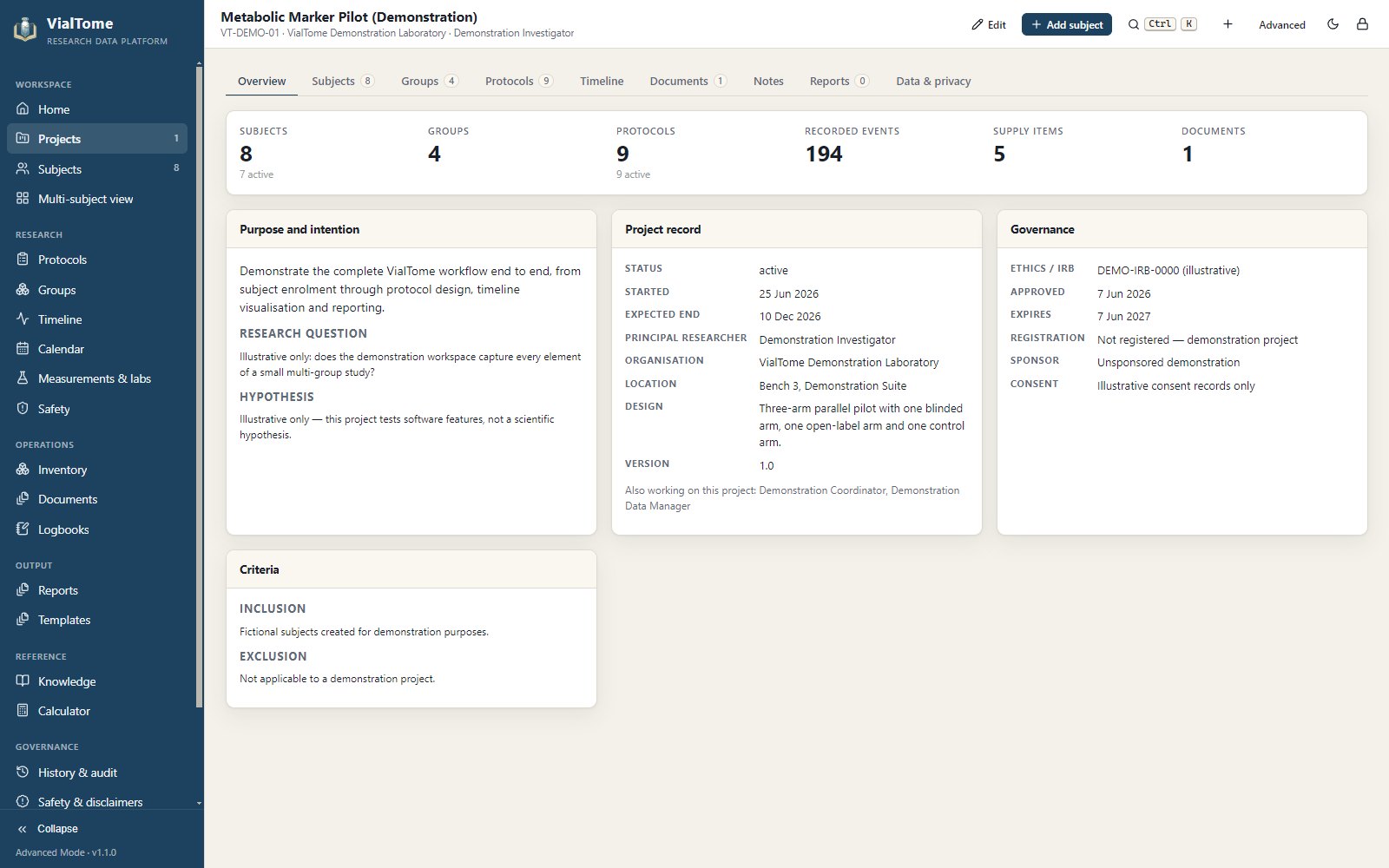
Subjects, groups, protocols, supplies, documents, logbooks, measurements and reports live inside one project. Only a name is required to start; the design, methodology and governance fields fill in as the work develops.
- Purpose, research question, hypothesis and study design
- Inclusion and exclusion criteria
- Ethics identifier, approval dates, registration and sponsor
- Portable
.vialtomebundles with optional de-identification
Four identities, stored separately
A subject can be a person, an animal, a cell culture, a specimen or a sample — VialTome never assumes. Real name, research identifier, alias and blinded identifier are stored in separate fields, and you choose independently which one the interface shows and which one exports use.
- Only a research identifier is required
- Alias generator with five naming styles
- Identity changes write a critical audit entry
- De-identification preview before anything leaves

Fixed, staircase or step table — with a live preview
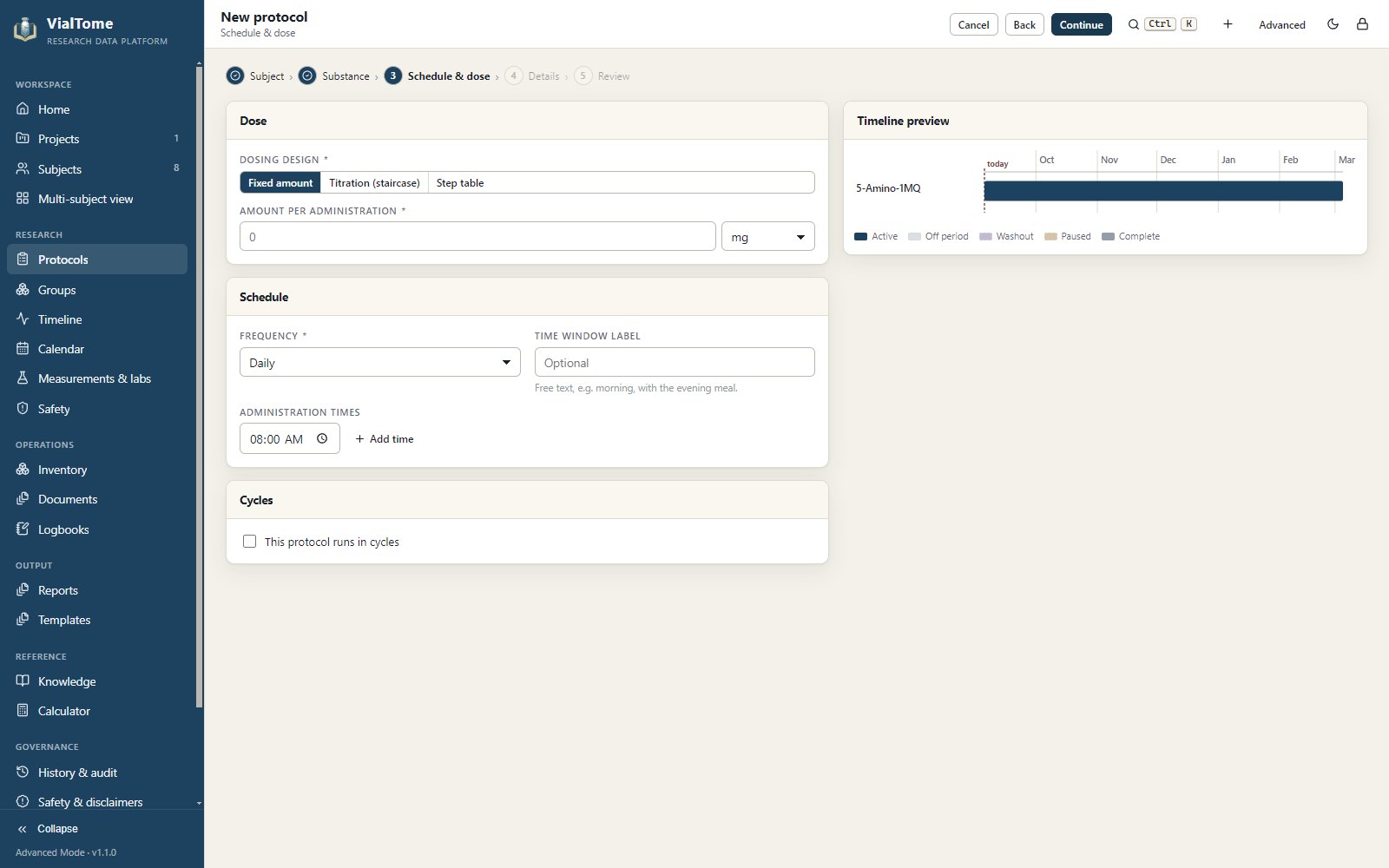
Enter the amount, the schedule, the titration and the cycling, and watch the timeline redraw as you type. The engine handles every-N-days, specific weekdays, monthly clamping, multiple daily times and custom dates, and it survives daylight-saving transitions without drifting.
- Staircase titration with hold and optional taper
- Explicit step tables when phases differ
- On/off cycling with repeats and a washout
- Recorded interruptions that never rewrite intent
Revisions are immutable, so old reports stay true
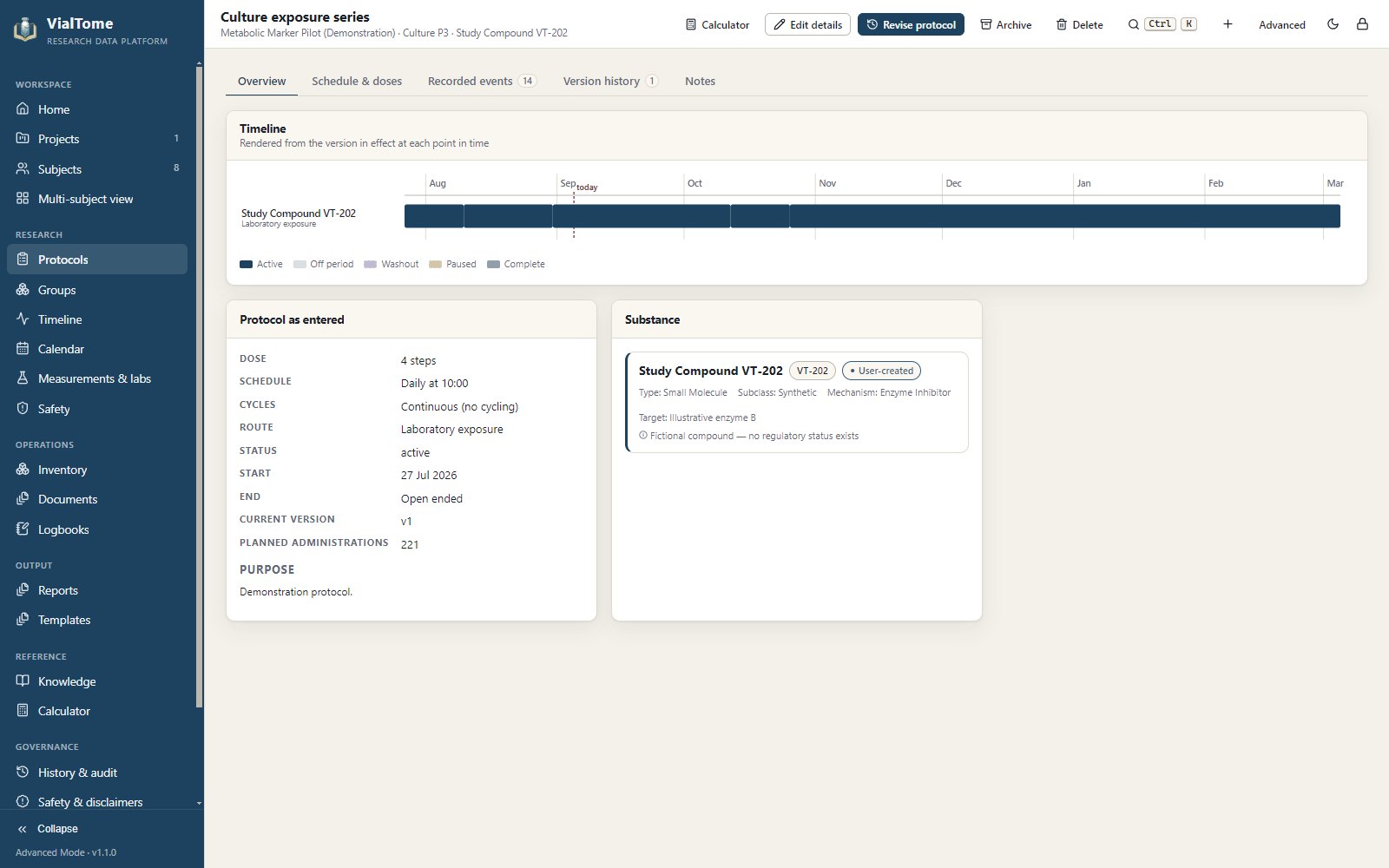
Editing a saved protocol writes a new version with an effective date. Earlier versions are preserved exactly as they were, and a report covering a past quarter is rebuilt from the version that was actually in effect then — not from today's.
- Side-by-side version comparison
- Reason for every change, recorded with the author
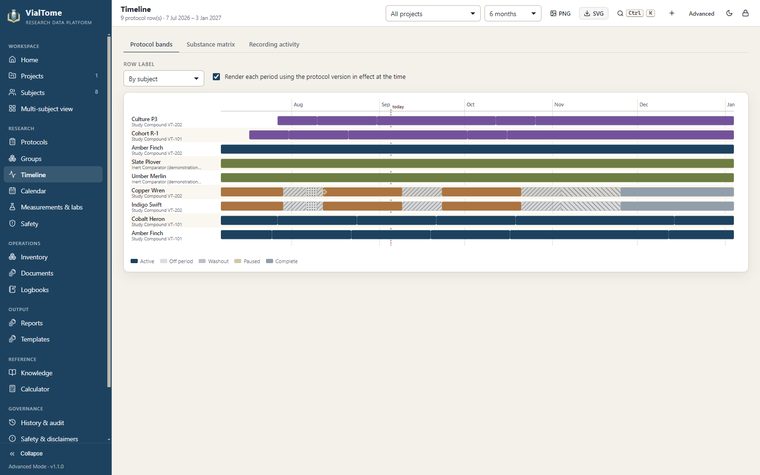
- Timelines mark each revision point
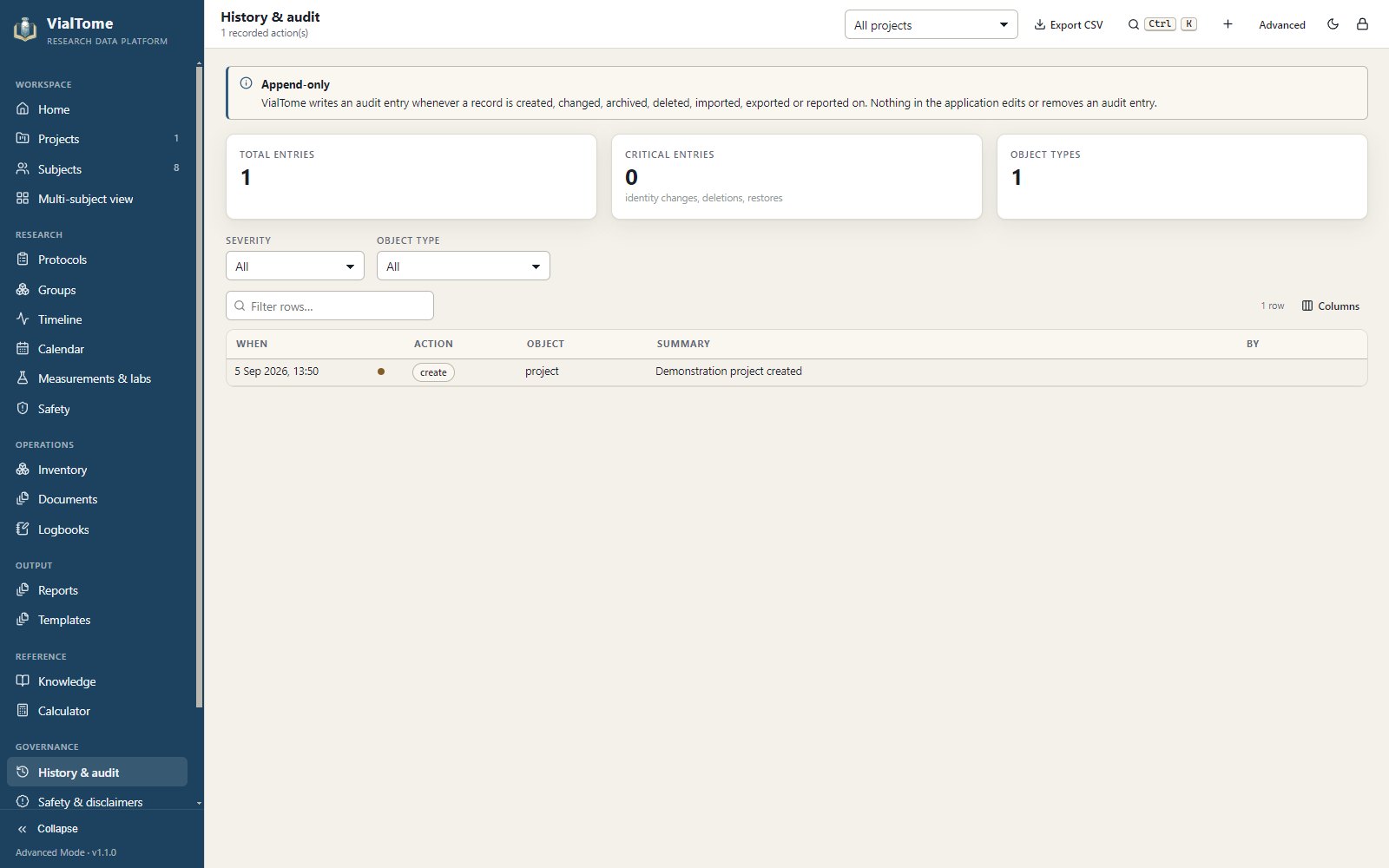
- Append-only audit trail across the whole application
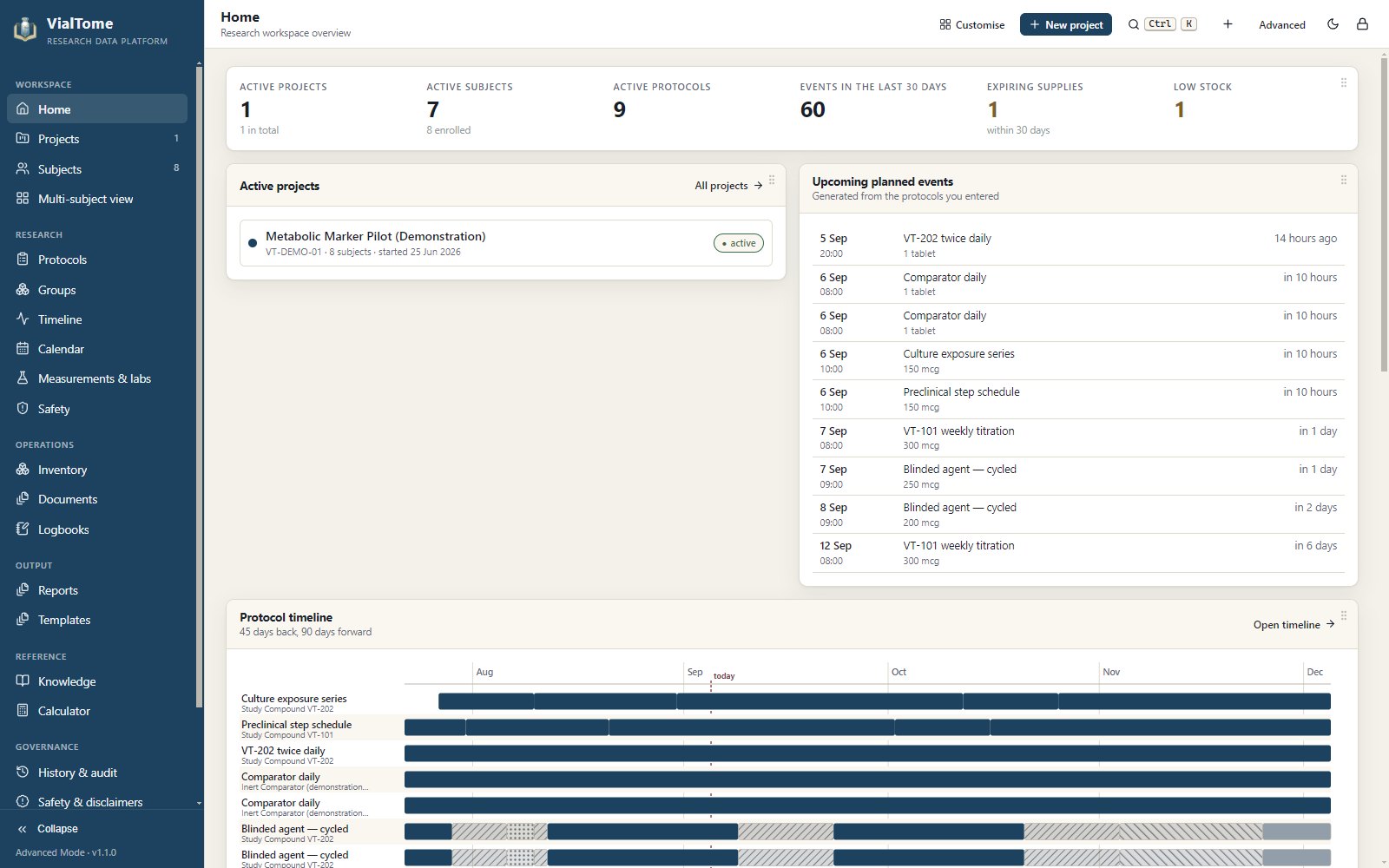
See the whole protocol at a glance
Try it: toggle the design elements below and watch the timeline redraw. This is the same rendering VialTome uses — off periods, washouts and pauses each carry their own hatch pattern, so the distinction survives greyscale printing and colour-vision differences.
Dose-over-time staircase
A step chart that shows exactly when an amount changes, with off periods shaded behind it.
Calendar and heatmap
Planned events, recorded events, expiries and milestones on one grid — plus a year-long activity map.
Subject × substance matrix
Who is on what, at what amount, at the end of any window you choose.
Planned versus actual
Two bands: what the protocol plans, and what was recorded — coloured by status, never merged.
One to sixteen subjects, side by side
Choose a layout from 1×1 up to 4×4. As the tiles get smaller the cards simplify themselves — secondary fields drop away and the panel set shrinks to what stays legible, rather than shrinking type until nothing can be read. Double-click any tile to expand it.
- Saved panel layouts apply across every subject
- Filter by project, pick exactly who appears
- Each tile keeps its own live timeline

Evidence tiers that are never blended
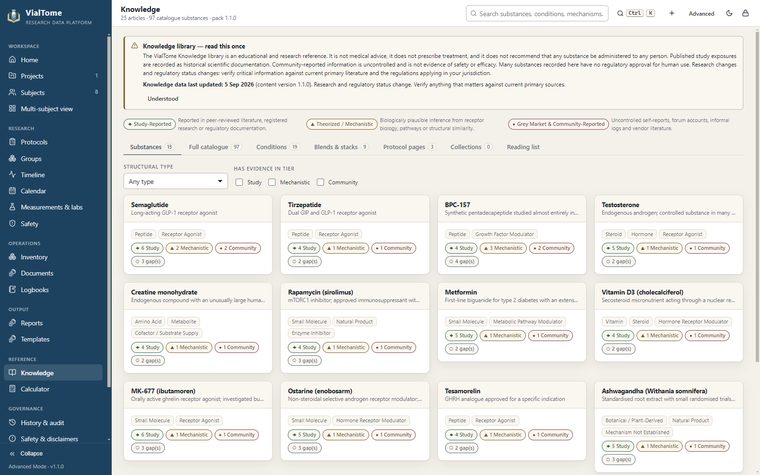
The most common way research information becomes misleading is by mixing categories: a mechanistic argument gets repeated as a finding, an animal result gets read as a human one, and a forum post ends up cited as evidence. VialTome refuses to combine them. Click a tier to see how each is presented.
Gaps are stated, not hidden
Where no evidence was located, the page says so in a sentence. An empty section and an absent section mean different things, and the library distinguishes them.
Exposures are documentation
Published amounts appear with their study model, population, route and duration under an explicit heading: documented study exposure, not a recommendation.
Identifiers are never invented
Where a DOI or PMID has been confirmed it is shown. Where it has not, the source is cited by title with a link to the primary database and marked accordingly.
Search that matches how you think
By substance, alias, brand name, research code, mechanism, molecular target, blend, stack, protocol or condition — with fuzzy matching across all of it.

Arithmetic you can audit, line by line
The calculator answers one question: given the values you entered, what does this target correspond to? It uses decimal arithmetic rather than floating point, shows every step under “Show the maths”, and never selects, suggests or validates whether an amount is appropriate.
A syringe “unit” is not a universal measure
A U-100 barrel carries 100 marks per millilitre; a U-40 barrel carries 40; a tuberculin barrel carries none at all. VialTome refuses to translate a volume into marked units until you say which barrel you are holding. Until then it reports physical volume and stops there.
- Reconstitution, liquid vials, tablets, capsules, sprays, drops, patches
- Multi-component blends where one draw fixes every component
- Whole-protocol requirement, container count, surplus and cost
- Any result attaches to a project, subject or protocol with its trace

Built once, rendered five ways
A report is assembled as one structured document and then rendered to the preview, the print job, the PDF, the Word file and the spreadsheet. What you see on screen is what comes out — there is no second implementation to drift.

Eleven built-in templates
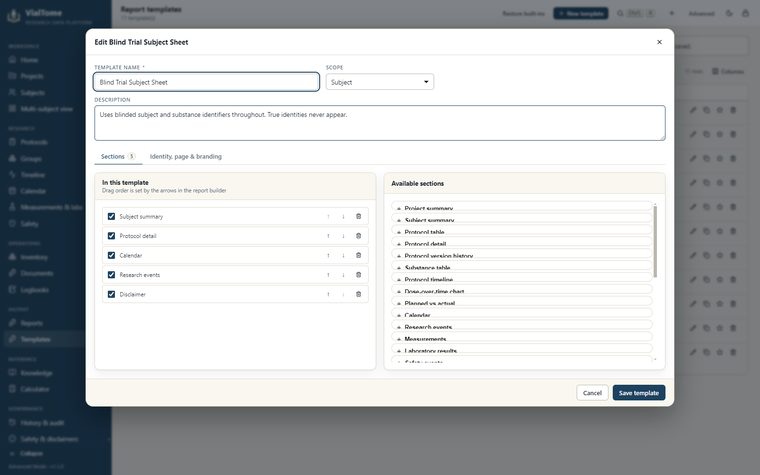
Technical report, subject summary, plain-language sheet, blinded trial sheet, group comparison, timeline report, inventory, research log, protocol card and a full research binder.
Blinding that reaches everything
Each template chooses independently whether to show true names, blinded names, or no substance identity at all — and which subject identity to use. Unblinding is auditable.
PDF, DOCX, XLSX, CSV, HTML, JSON
The Word and spreadsheet files are standard Office Open XML and open directly in Google Docs and Google Sheets. No placeholder files, no account required.
Print preview that matches
Orientation, paper size, margins, scale and a greyscale-friendly mode that strengthens contrast rather than relying on colour.
Saved snapshots stay accurate
Saving a report stores the rendered document, not just the filters. A report saved for last quarter still reads correctly after the protocol has been revised three times.
Simple Mode by default. Advanced Mode when you need it.
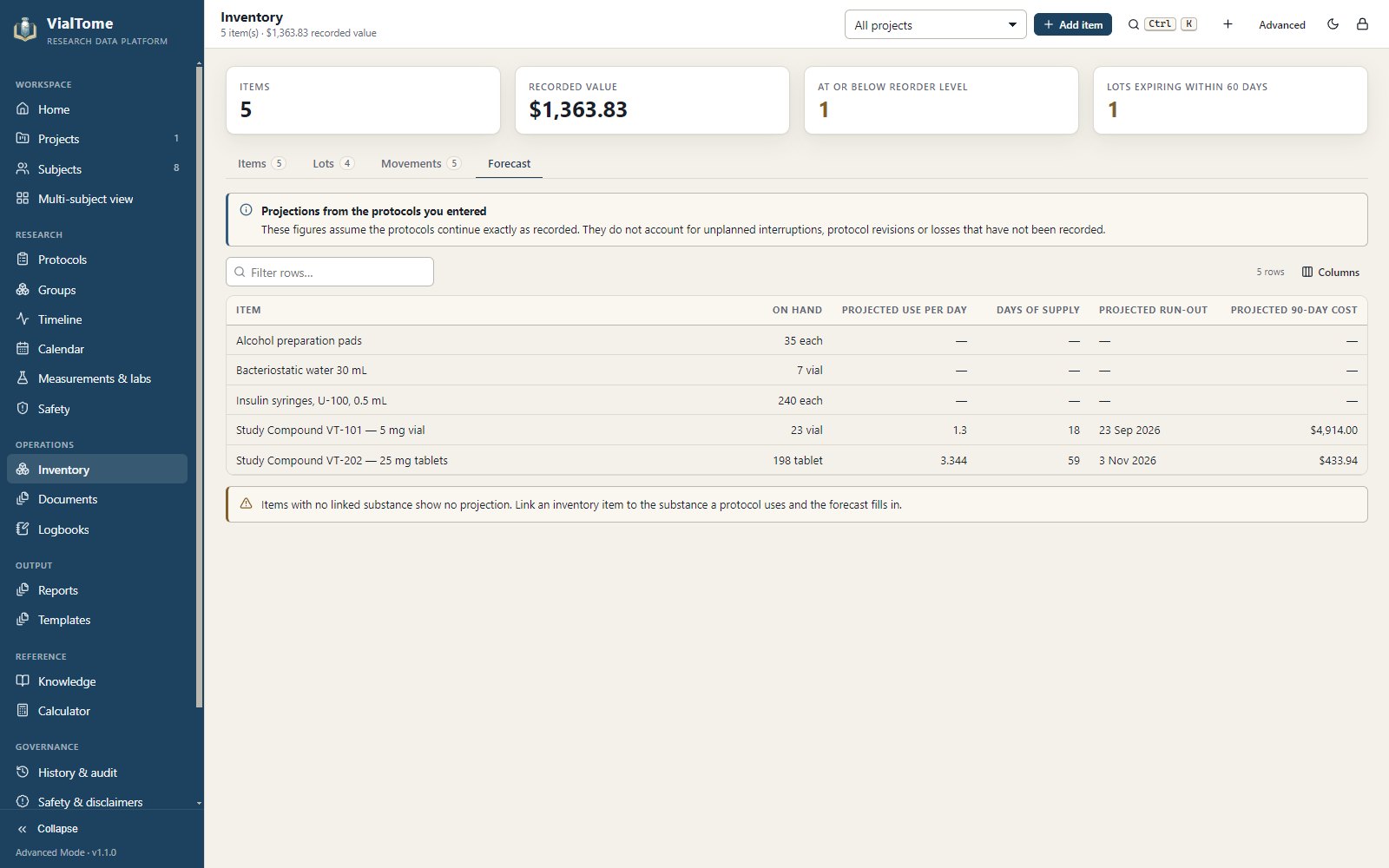
Drag the handle. Simple Mode reduces the interface to what a small project needs; Advanced Mode adds groups, randomisation, measurements, laboratory results, safety records, deviations, the audit viewer, template design and inventory forecasting. Switching never deletes or hides a single record.
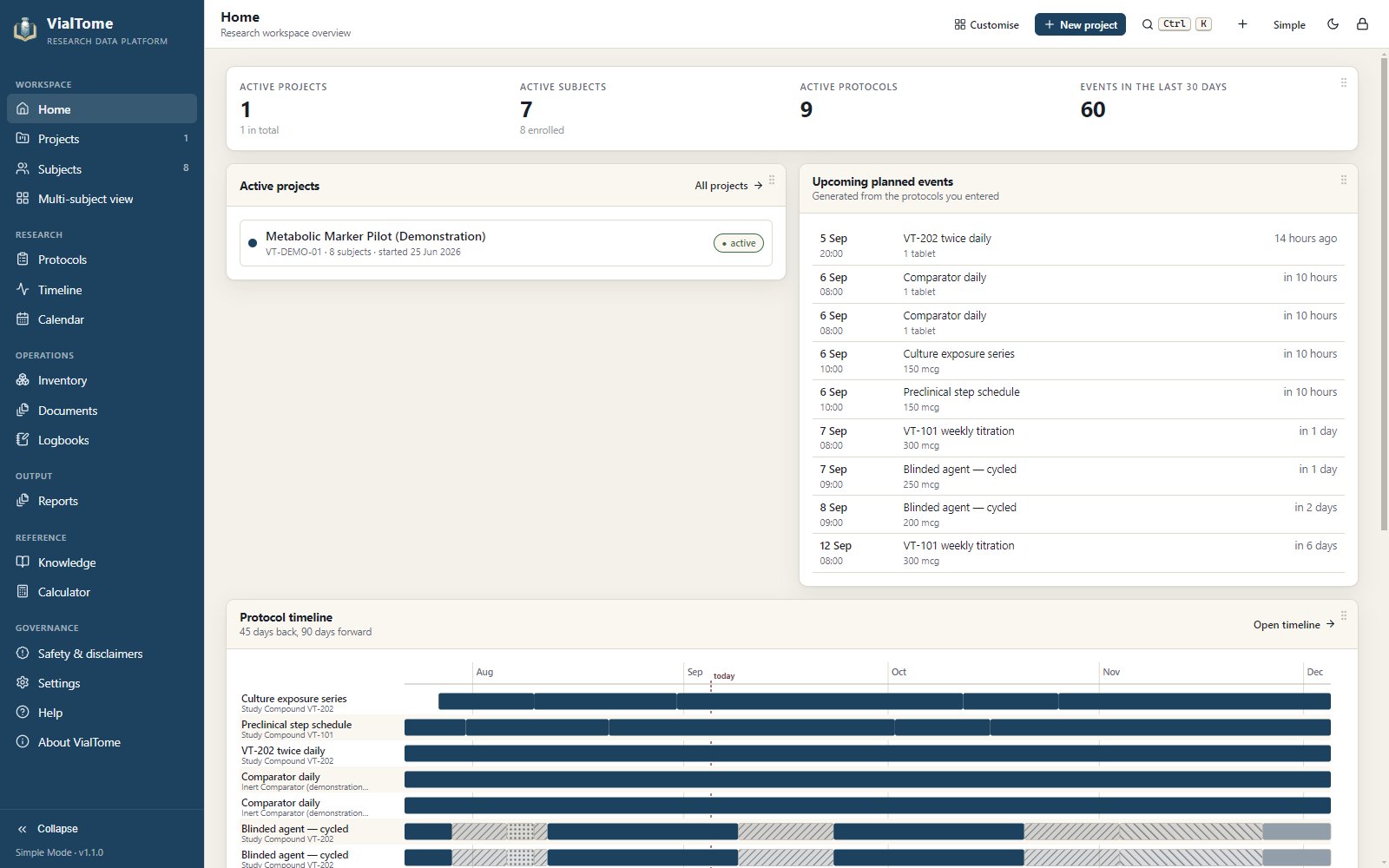
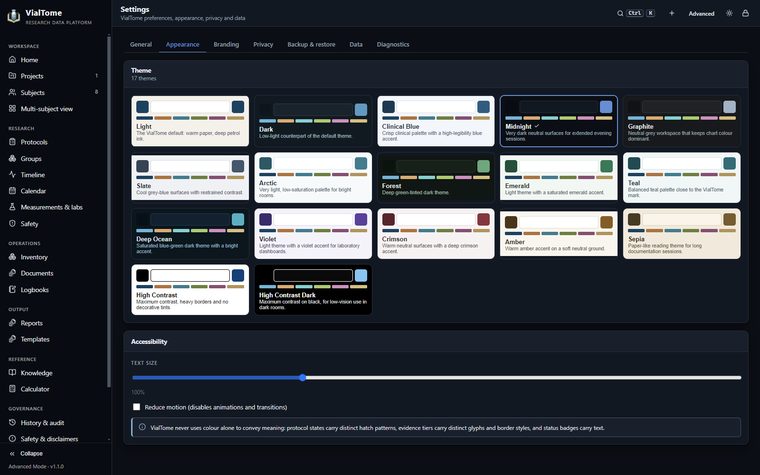
Sixteen themes, and charts that stay readable in all of them
Chart series colours are chosen per light and dark family rather than derived from the accent, so categorical series remain distinguishable no matter which theme is active. Pick one to preview it.
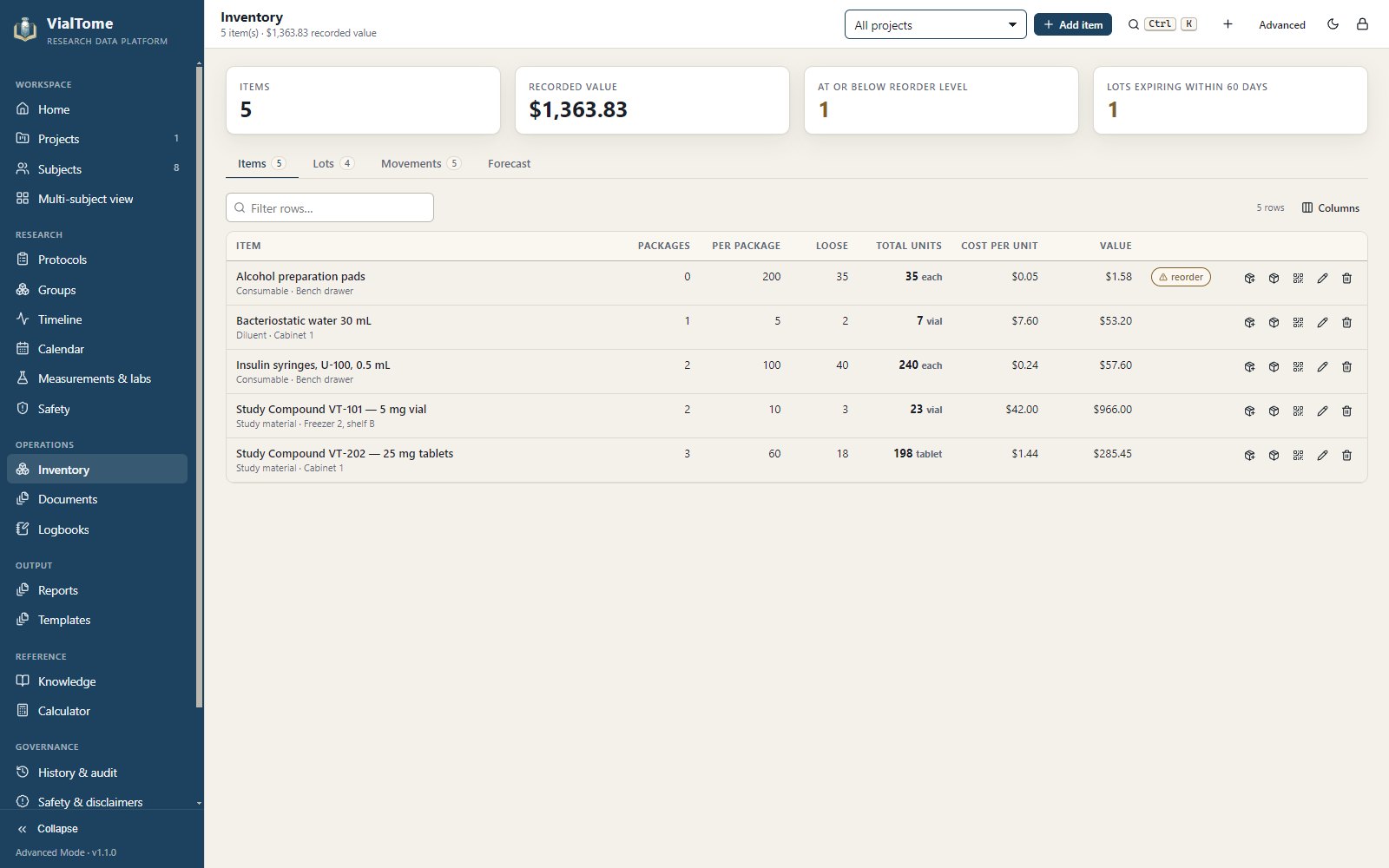
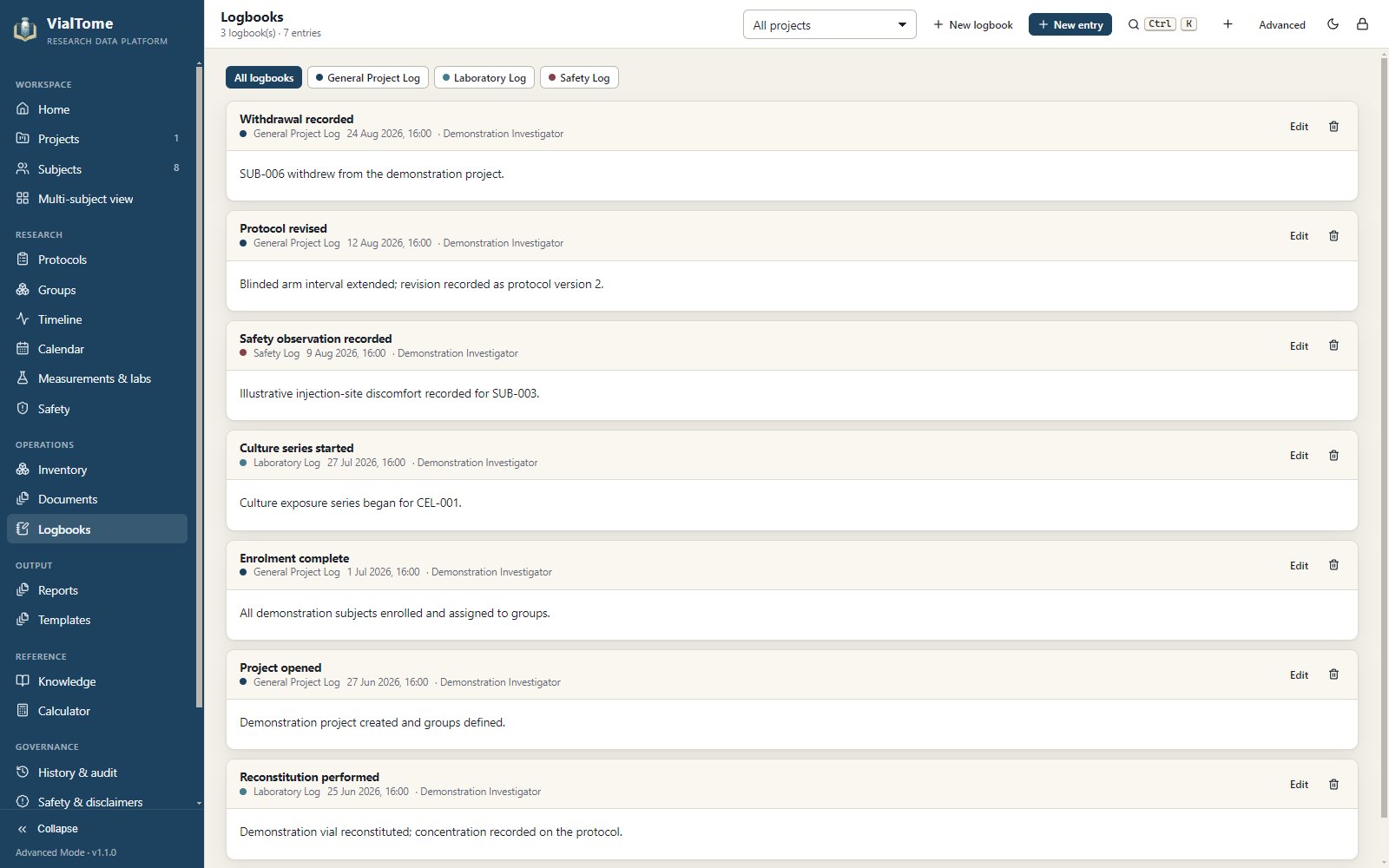
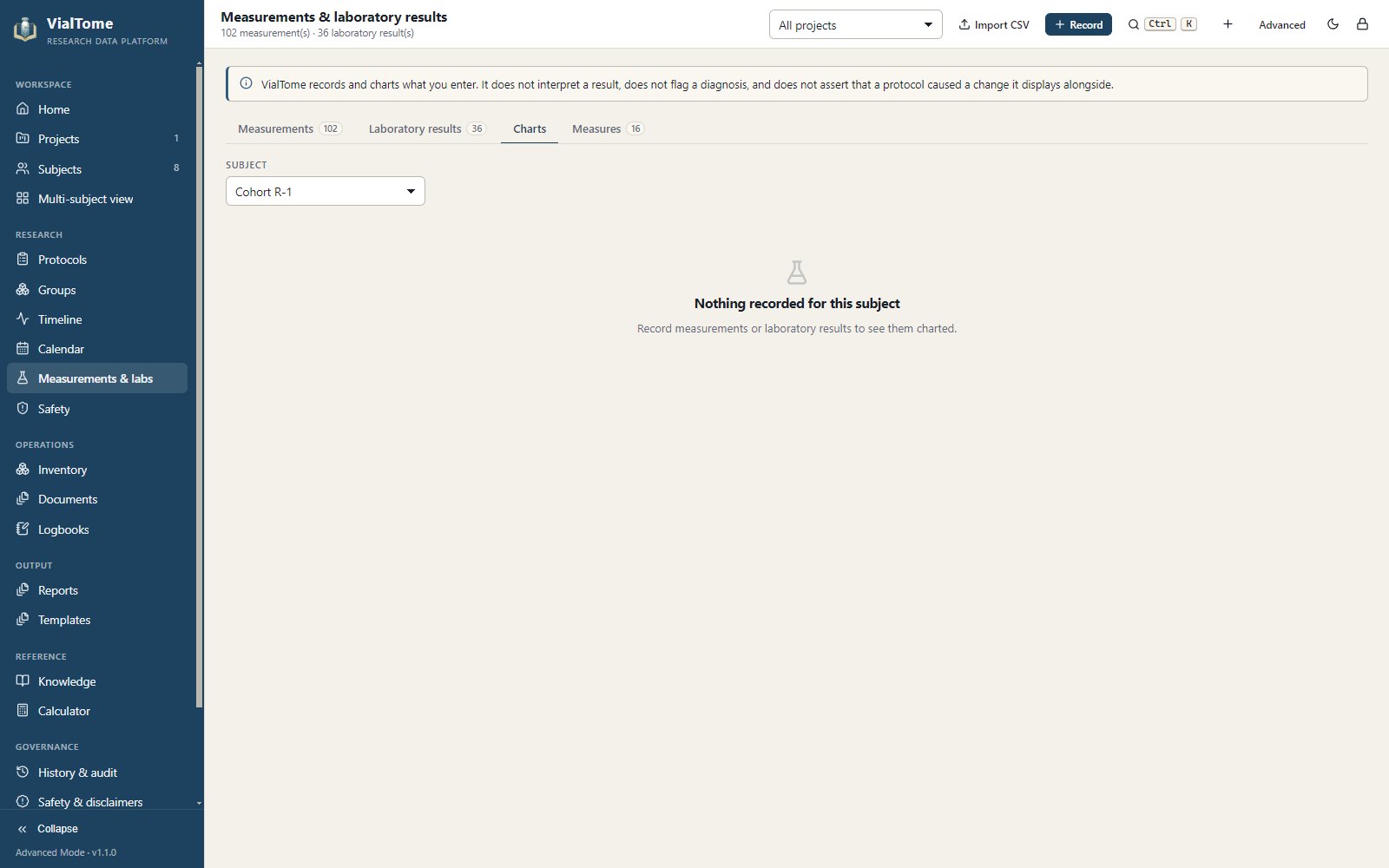
Supplies, records and evidence in the same place
Local-first, because subject data should not travel
VialTome runs entirely on your computer. There is no account, no cloud service, no sync, no telemetry and no analytics. Nothing leaves the machine unless you export a file, follow a web link, or press Check for updates — which reads one published file and sends nothing about you.
No account, ever
Install it and start working. There is nothing to sign up for and nothing to sign in to.
De-identification with a preview
Replace identities, remove private notes, investigator notes, photographs, ages and document metadata — and see exactly what will leave before it does.
Verified backups
Automatic rotating backups with SHA-256 checksums. A restore verifies the archive first and takes a safety copy of your live data before touching it.
Privacy screen
Ctrl Shift P hides everything instantly, without closing anything. It can also engage on a timer.
Fifty-seven captures from the installed application
Every image on this site is a screenshot of VialTome 1.1.0 running from the Windows installer — not a mock-up, not a design comp.
No subscription. No premium tier. No locked features.
VialTome has no usage limits, no mandatory registration and no advertisements. Every feature described on this page is available to everyone, permanently, under the MIT licence. If it saves you time, you can thank the creator — it unlocks nothing, and you will never be asked twice.